How to Manually Import Strategy Templates Into NinjaTrader 8?
In order to import settings templates for strategies, you need to put them directly into the document’s folder of NinjaTrader 8. The strategy templates should be placed in a folder that has the name of the strategy you are using. For example, the folder with the strategy templates “Reversal” will be named “Reversal”. If you don’t see the folder, then NinjaTrader hasn’t created it yet. You can do it instead, as shown below. To do this, go to:
PC —> Documents —> NinjaTrader 8 —> Templates —> Strategy
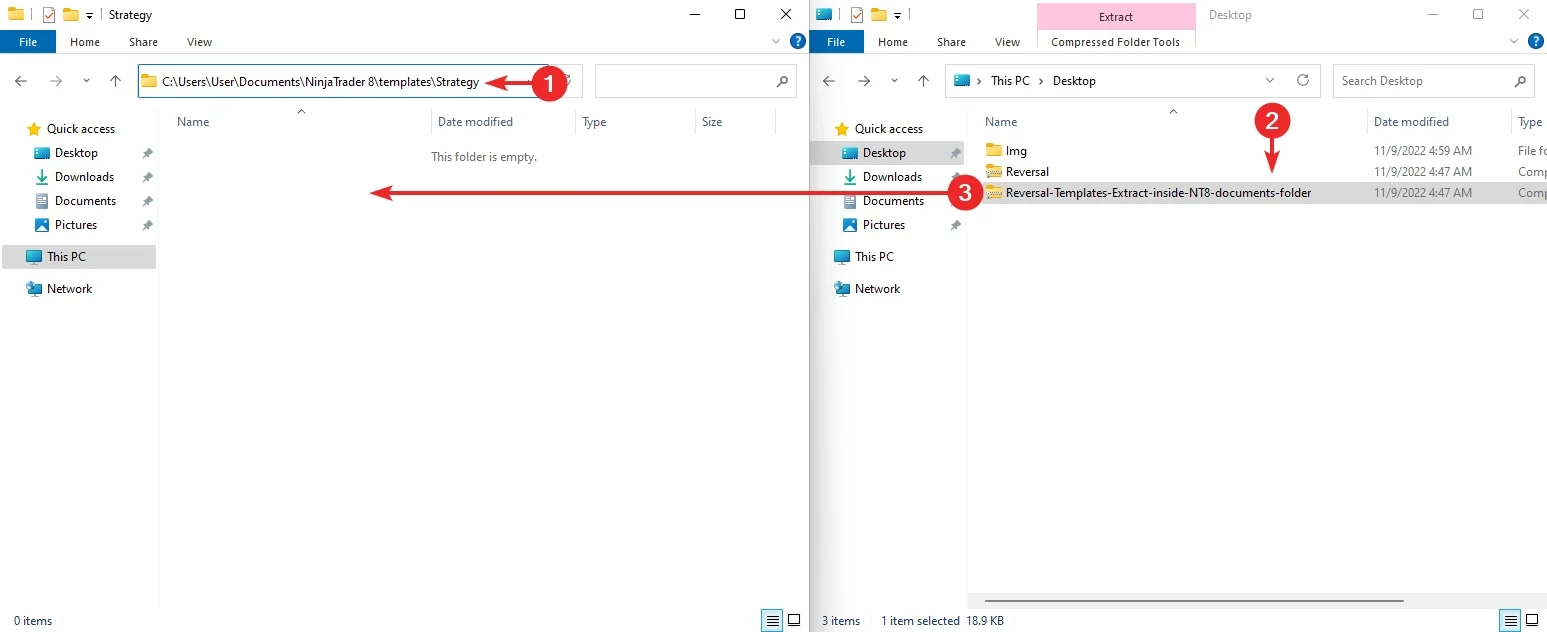
Below is an example of how to import settings templates into the “Reversal” strategy from mascapital.uk:
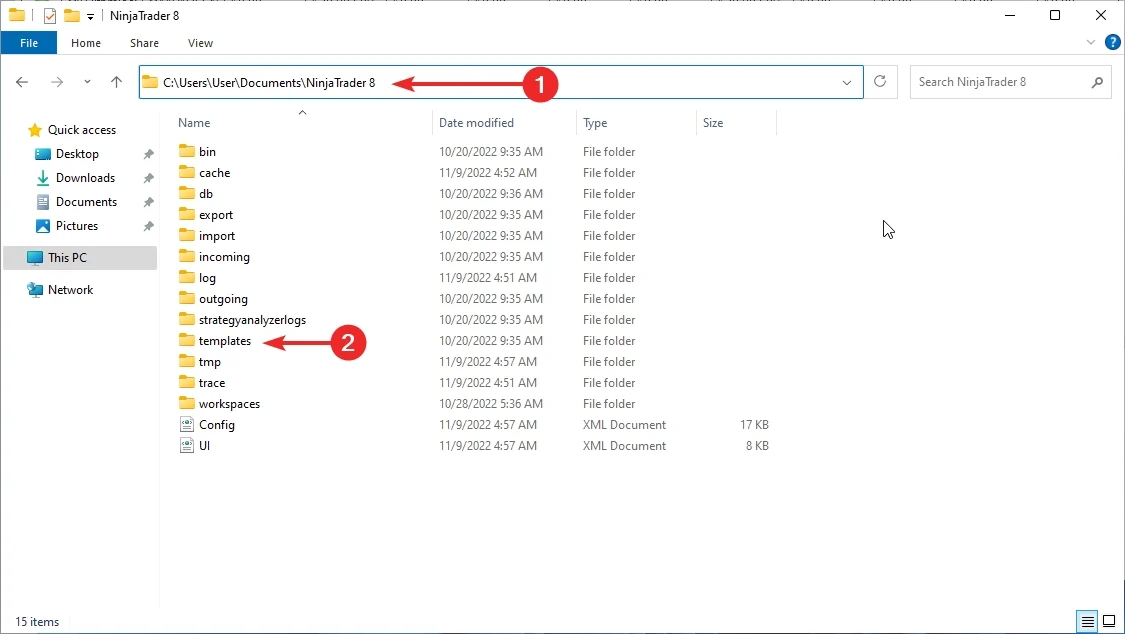
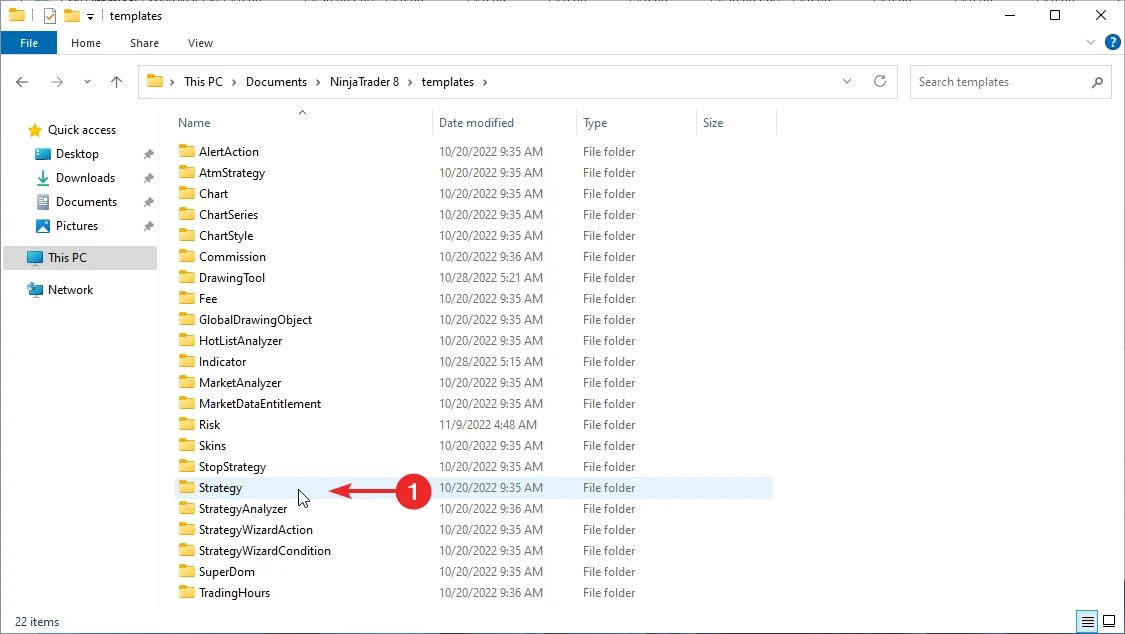
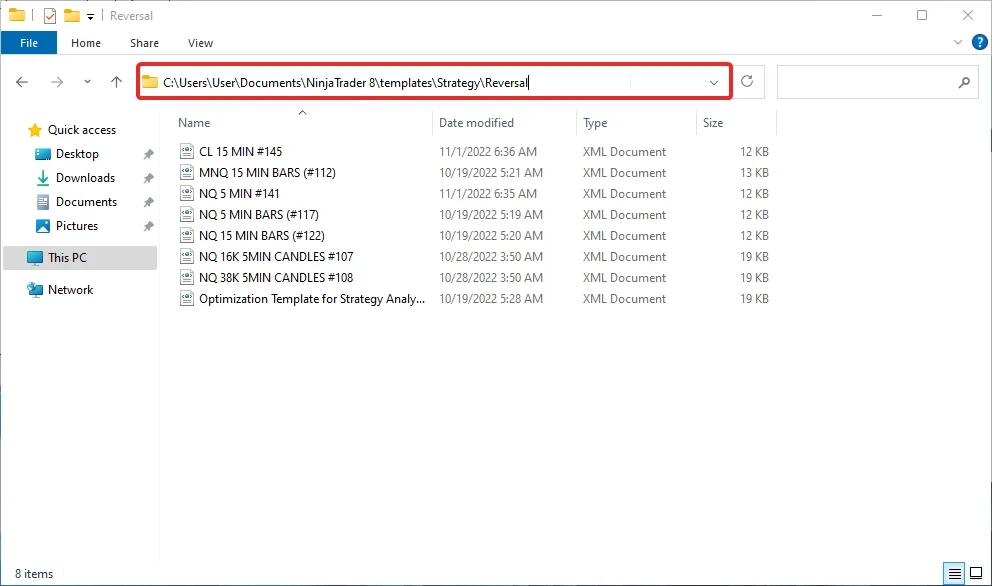
NinjaTrader 8 automated strategy templates import showcase:
Extract downloaded templates from our website inside NinjaTrader 8 strategy templates documents folder:
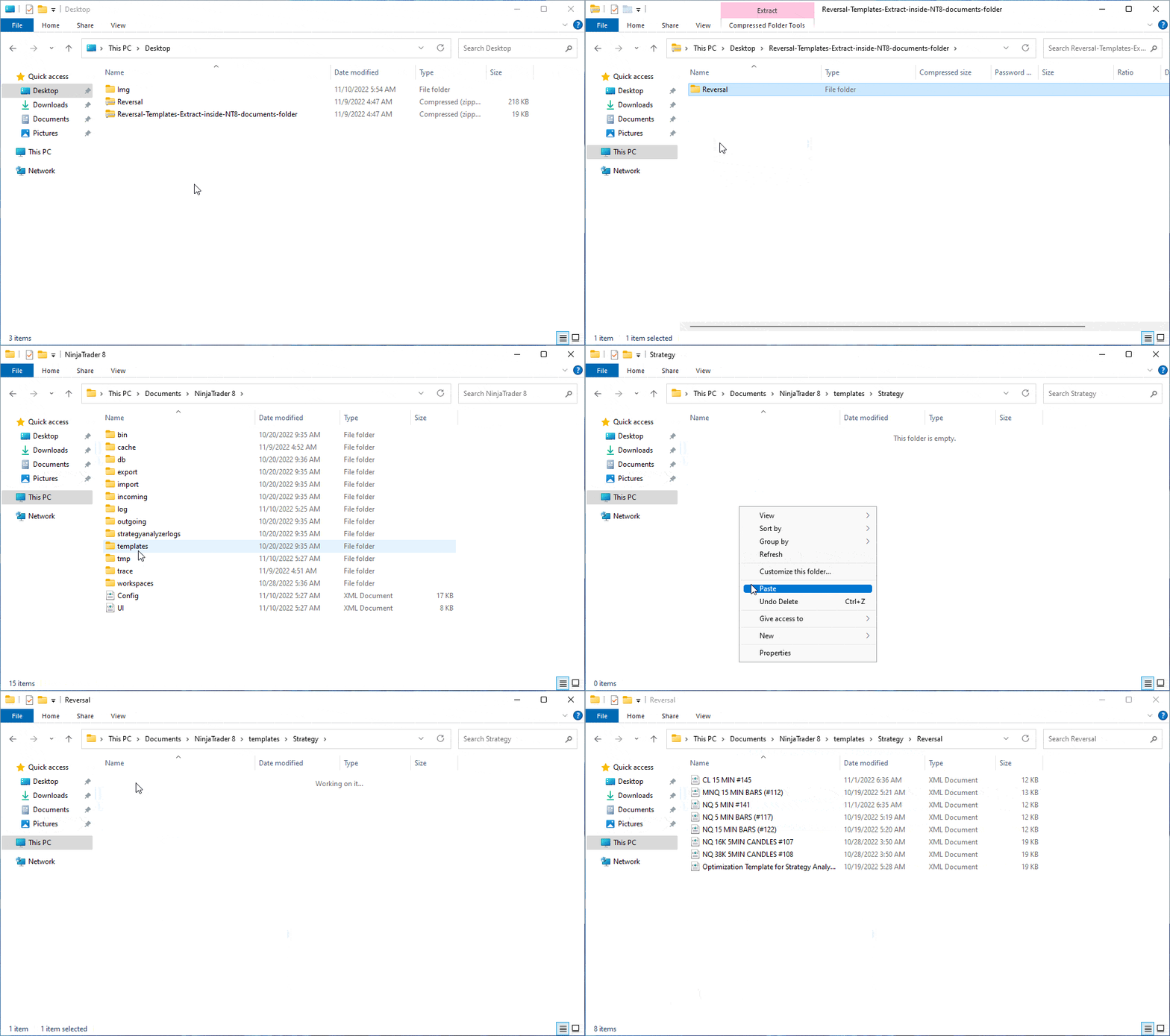
Reversal auto-trader templates import:
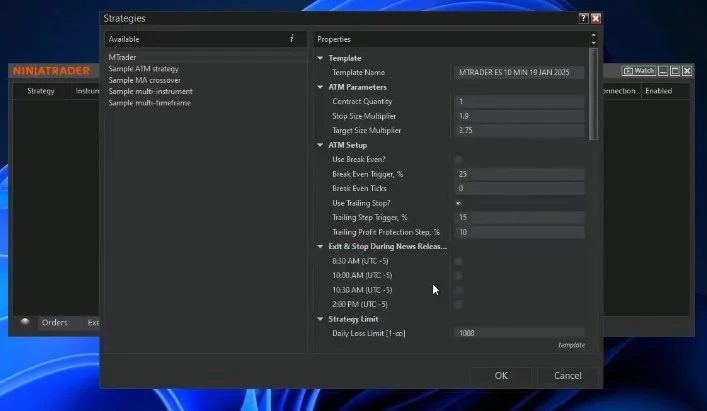
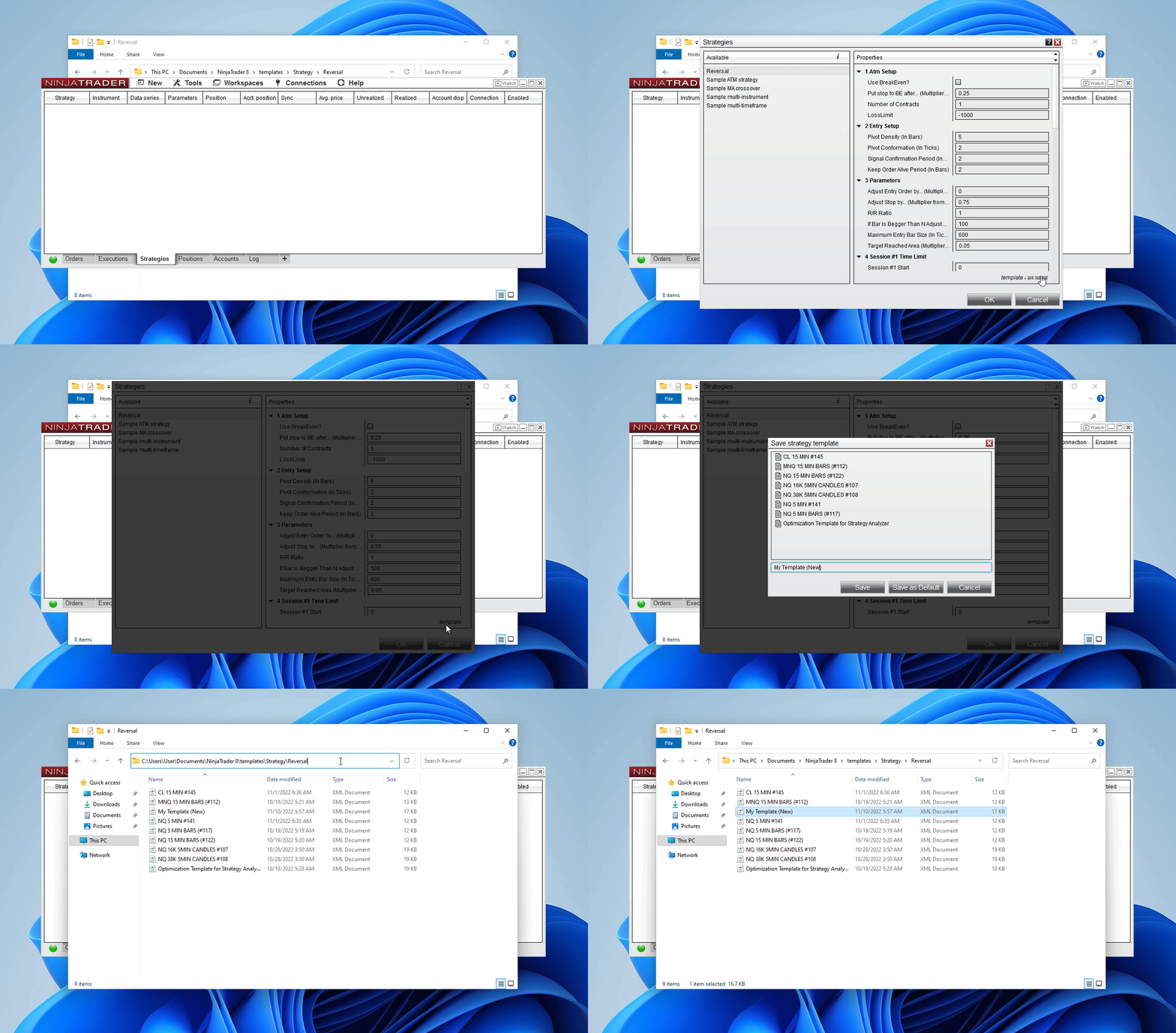
You can save/load added templates directly from the automated strategy setup window, as shown here:
Related guides.

M Trader and Reversal Strategy trade limits update for NinjaTrader 8
M Trader and Reversal Strategy now use trade-count daily limits instead of the older PnL-based system. The update… Read guide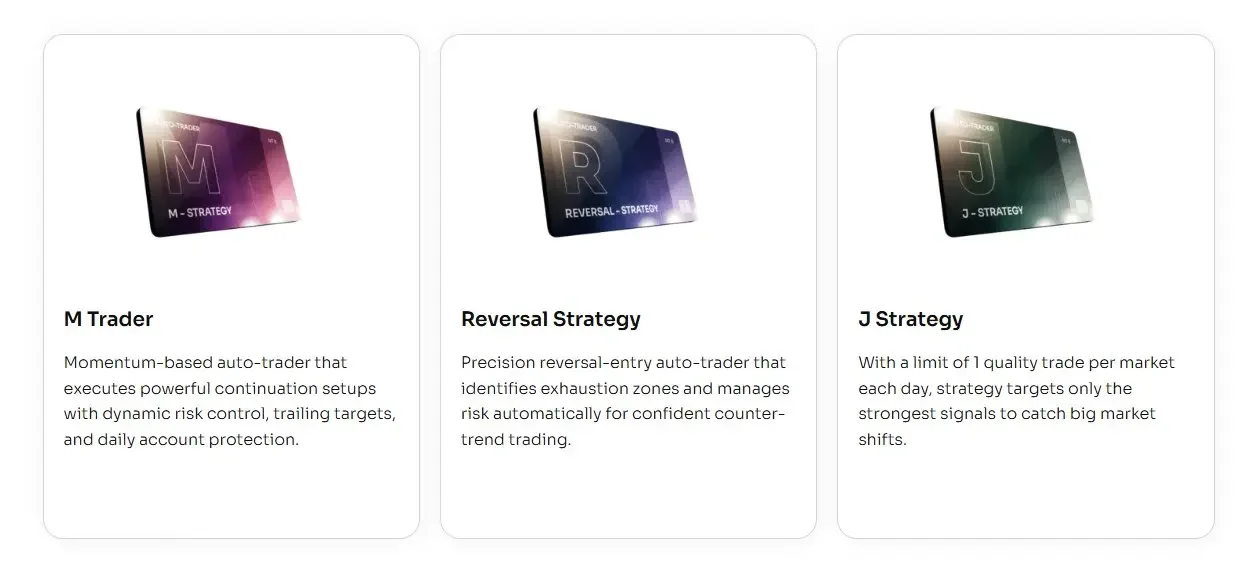
Update: Faster & Safer Auto-Trading in NinjaTrader 8
December 2025 update improves MASCapital auto-traders with faster stop handling, safer order protection, and smarter session-close logic. Read guide